Alerts & Activity
Why you get alerts, and how to control them. See it in the live demo →
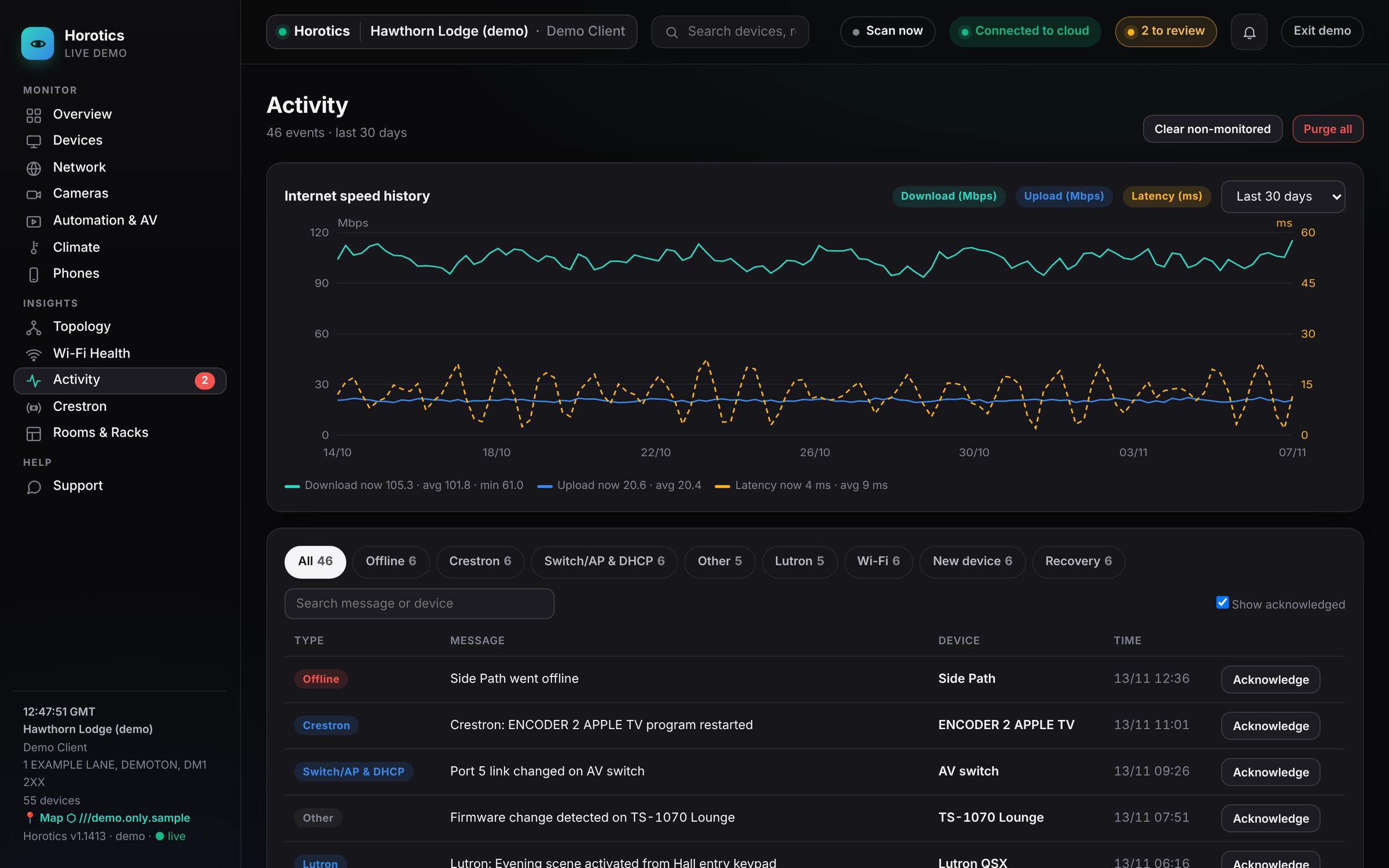
Horotics checks your equipment around the clock. When something changes (a device stops answering, a camera drops off, Wi-Fi gets congested), it's recorded here and, if you've asked, you get a message.
What's on the page
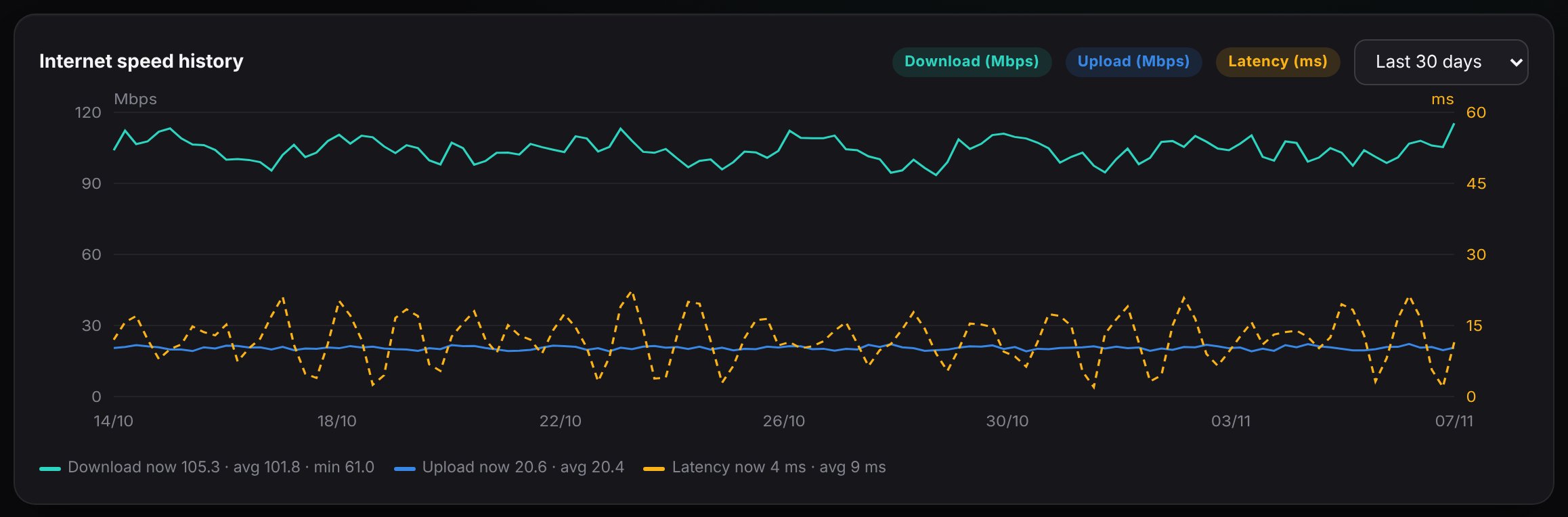
- Internet speed history
- Download, upload and latency over the last 30 days, 7 days or 24 hours, with the latest figure, average and minimum. Deep dips are times your broadband slowed or dropped.
- Filter tabs
- All, Offline, Recovery, New device, Wi-Fi, Switch/AP & DHCP, Other, plus your integrations, such as Crestron and Lutron, each with a count. Click one to see only those events.
- The list
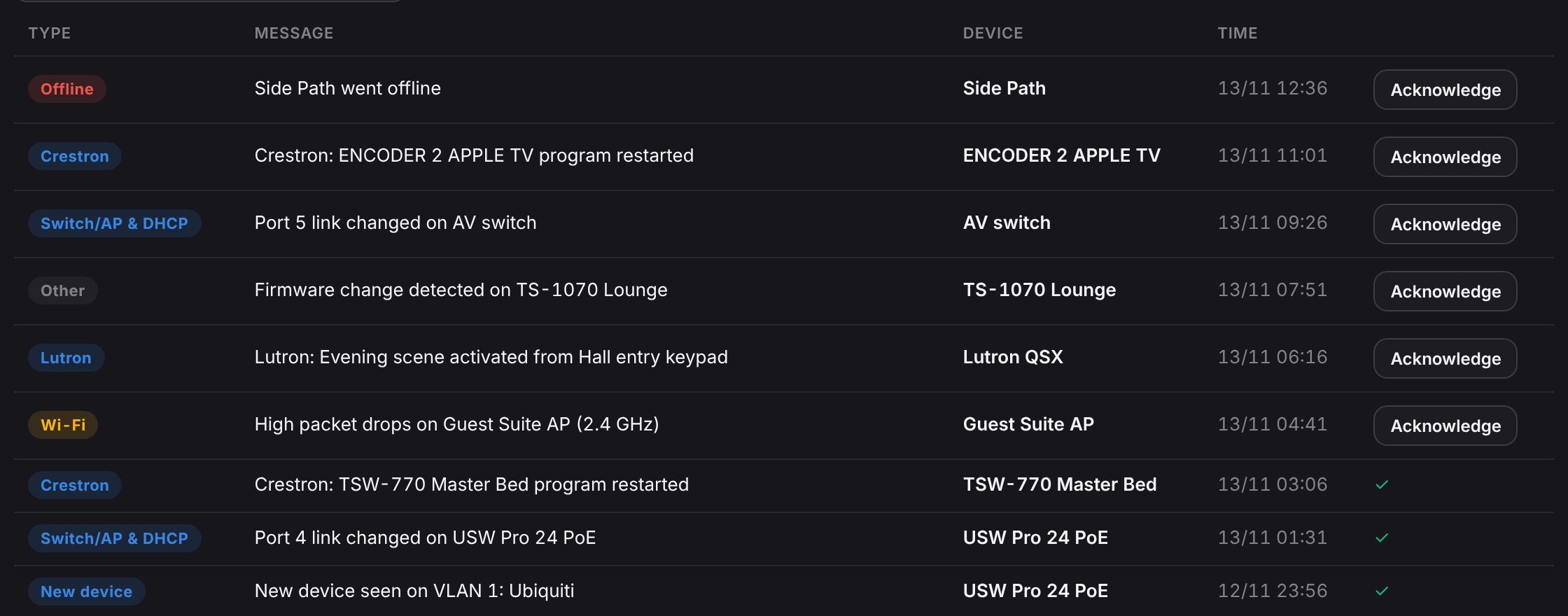
- One row per event: its type, a plain-English message, the device and the time.
- Acknowledge
- Mark an event as seen. Acknowledged events are hidden unless you tick Show acknowledged.
- Clear non-monitored / Purge all
- Tidy the list. These only clear history; they never change your equipment.

Stopping alerts you don't want
- Change a device to Monitor: it's still watched and recorded, but you're not alerted.
- Turn monitoring Off for a guest gadget you don't care about.
- Choose what reaches you: be told about real problems only, and leave everything else on this page.
Getting alerts sent to you
By default, alerts just appear here. To get a message when something happens, open Notifications (in the Admin section of the menu), choose how you'd like to be reached, such as email, add the people who should get alerts, choose how much to be told, then send a test message. You can change any of this at any time.
Does checking slow my system down?
No. Horotics runs on its own box and listens far more than it talks. It doesn't slow your Wi-Fi, TVs or internet.
Alerts are an early warning. A device that keeps dropping briefly, or Wi-Fi getting busier week by week, is often the first sign of a failing cable or crowded channel: a planned fix now instead of an emergency later.