Cloud backup & restore
See this on a live example →Cloud backup keeps a safe, off-box copy of your system so nothing is lost if the hardware ever fails. The left menu and top strip are the same as everywhere (see the Overview page); you'll find Cloud backup under Admin in the menu.
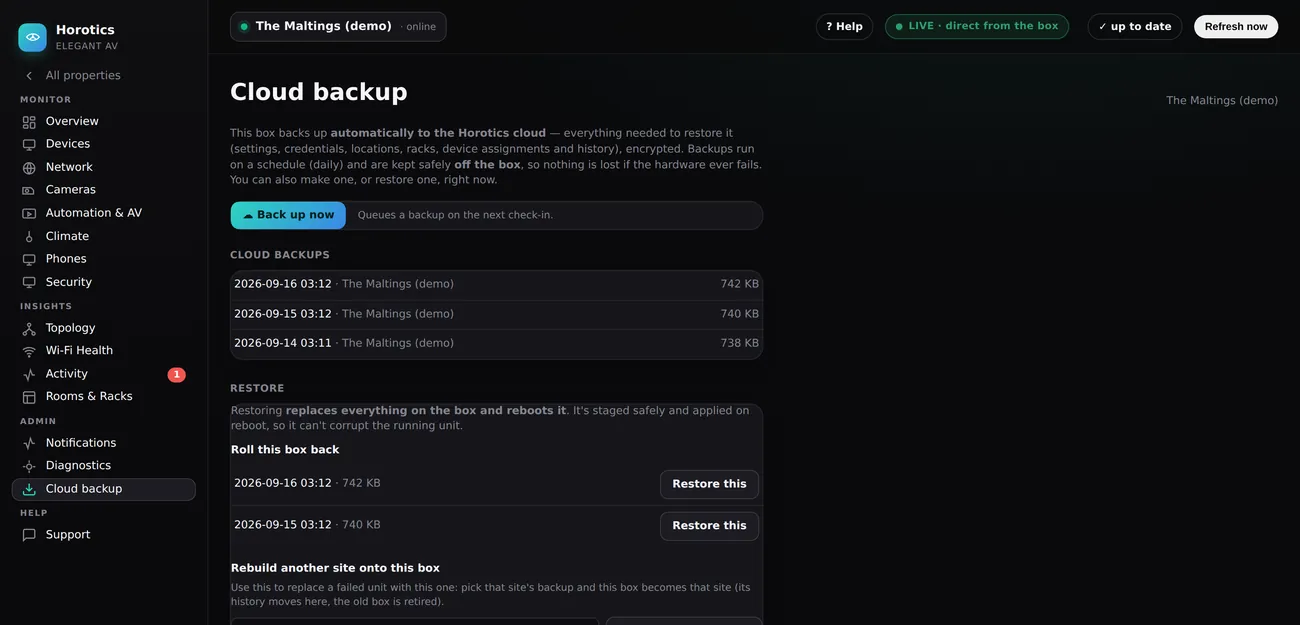
What it is
Your box copies everything it needs to be rebuilt — its settings, logins, rooms, racks, device list and history — into one encrypted file, and sends that file up to the Horotics cloud. It does this on its own, every day, and the copy is kept off the box. So if the box is ever lost, stolen or fails, nothing is lost with it.
There is no file to keep and no password to remember. It's all handled for you in the cloud.
Making a backup yourself
You don't have to wait for the daily one. On the Cloud backup page press Back up now and a fresh backup is taken on the box's next check-in, usually within a minute. It then appears in the Cloud backups list with its date and size.
Restoring — two ways
- Roll this box back — put this box back to how it was at an earlier backup. Pick a date under Roll this box back and choose Restore this. The box reboots and comes back as it was then.
- Rebuild another site onto this box — if a box has failed and you're putting a new one in its place, pick the failed site's backup from the dropdown. The new box becomes that site — all its history moves across and the old box is retired automatically.
Good to know
- A restore replaces everything on the box and reboots it, so give it a minute or two to come back. It's staged and applied safely on reboot, so it can't damage the running unit.
- You only ever see and restore backups from your own boxes.
- Prefer to have your installer handle a restore? They can do it for you from the same place.