Wi-Fi Health
See this on a live example →This page tells you whether your Wi-Fi is actually healthy — not just “on”, but working well. It’s read passively from your UniFi and Ruckus controllers, so it adds no traffic of its own.
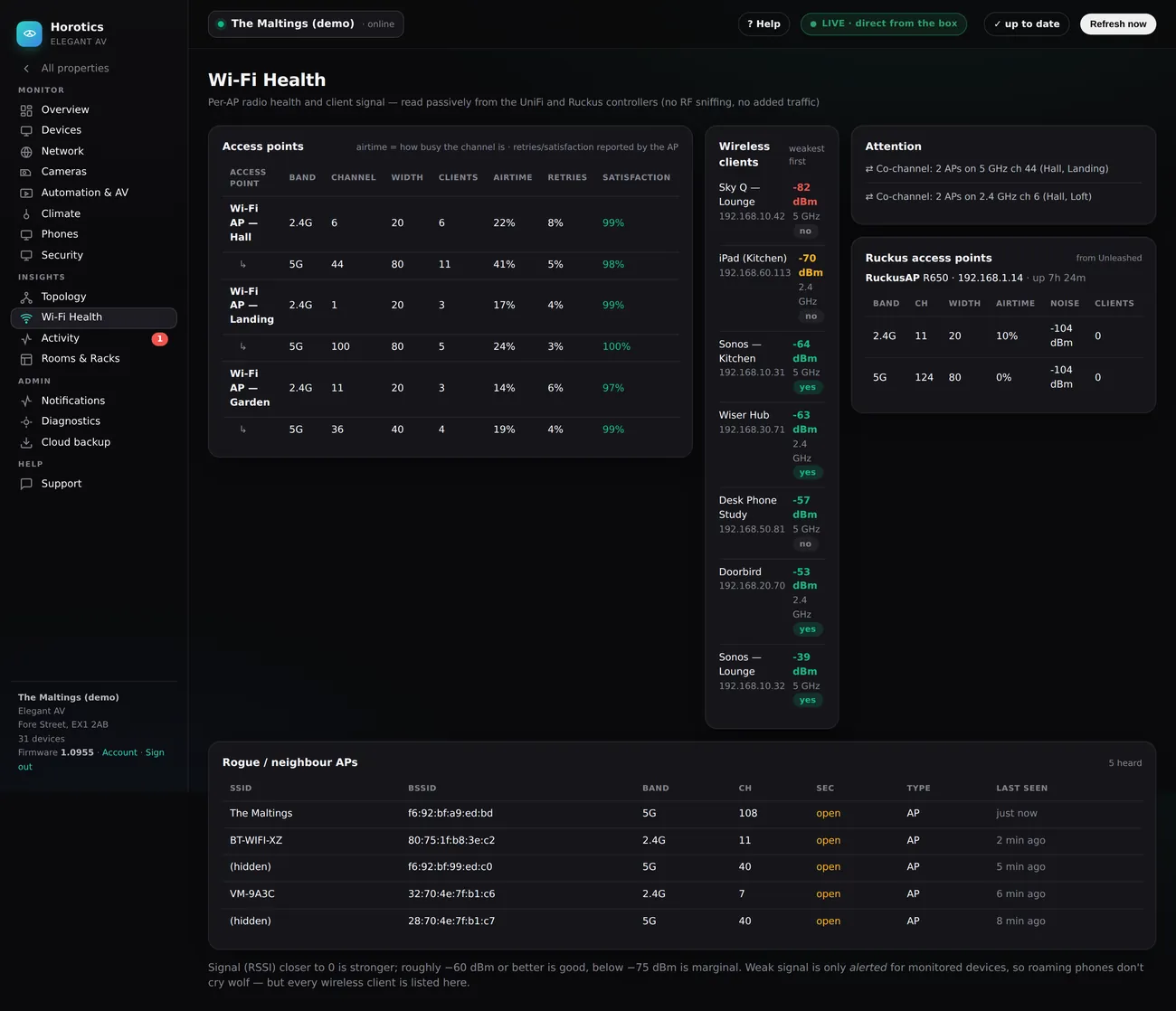
The Access points table (left)
One block per access point, with a row for each lane it broadcasts. The columns read left to right:
- Access point — the name of the Wi-Fi box (big homes have several, so there’s strong signal everywhere). Its two lanes appear beneath it.
- Band — 2.4G or 5G. 5 GHz is faster but shorter range; 2.4 GHz reaches further but is slower. Devices pick whichever suits them.
- Channel and Width — the exact slice of airwaves the lane uses. Mostly for your installer; two APs sharing a channel is what causes the “co-channel” warning (below).
- Clients — how many devices are on that lane right now.
- Airtime — how busy the lane is. Think of a road: a strong signal on a jammed road still feels slow. Under about 40% is comfortable; higher and Wi-Fi starts to drag.
- Retries — how often the AP has to repeat itself. A few percent is normal; a high number means a noisy, struggling lane.
- Satisfaction — the AP’s own score for how happy its clients are. Green and near 100% is good.
Wireless clients (middle)
Every device on Wi-Fi, weakest signal first so the ones most likely to struggle are at the top. Each shows its name, its address, its signal in dBm (closer to zero is stronger — −82 is weak/red, −53 is strong/green), its band, and a yes/no for whether Horotics is monitoring it.
Attention & Ruckus cards (right)
- Attention — plain-English warnings, chiefly co-channel (two of your APs fighting over the same channel — the usual cause of patchy Wi-Fi).
- Ruckus access points — if you have Ruckus/Unleashed gear as well as UniFi, its radios are summarised in their own card so everything is on one page.
Why Wi-Fi “feels slow” even with full bars
Full bars means strong signal. But if the lane is busy — lots of devices, or a neighbour on the same channel — everyone waits their turn and it feels slow. That’s why Horotics shows airtime and retries, not just bars: they catch the real reason.
What to do
If a lane shows high airtime or retries, or the Attention card flags a co-channel clash, note which AP and roughly when, and tell your installer. Often the fix is a quick channel change — no new hardware.